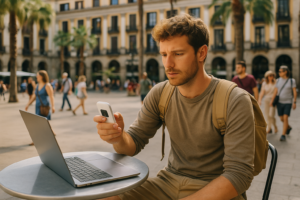

When you’re running a business from a Lisbon café one week and a Tokyo co-working space the next, internet security isn’t theoretical — it’s the difference between keeping client data safe and dealing with a compromised account while you’re 8,000 miles from home support.
After shipping portable WiFi devices and eSIMs to thousands of digital nomads working across Europe, Asia, and beyond, we’ve seen what actually goes wrong (and what doesn’t). This isn’t a generic cybersecurity lecture. These are the practical internet security habits that matter when you’re changing countries monthly, juggling local SIM cards, and working from networks you don’t control.
Why Traveling Makes You a Security Target
You’re more exposed than you think. Public WiFi at airports, hotels, and cafés is often unencrypted — anyone on the same network can intercept unprotected traffic. Local SIM cards from unfamiliar carriers may route your data through countries with weak privacy laws. Even your VPN logs might be stored longer than you’d like when you’re crossing borders monthly.
Digital nomads also tend to carry their entire business on one laptop and one phone. Lose that in Barcelona, or have it compromised in Bangkok, and you’re rebuilding accounts, resetting passwords, and explaining to clients why you missed deadlines — all from a hostel lobby.
The goal isn’t to become paranoid. It’s to set up a baseline that works automatically, so you’re not making security decisions in the moment when you’re tired, jet-lagged, or just need to send an invoice before the café closes.
“So many countries we visited over the last 2 months, from Ireland to Turkey and back home again, and they were always there for us 24/7. Truly a pleasure — 150% satisfaction.”
— Sergey Kondratiev, verified ConnectPls customer
Choose Your Connectivity Method for Security, Not Just Cost
How you get online abroad directly impacts your security posture. Each option has trade-offs.
| Connection Type | Security Level | When It Makes Sense | Watch Out For |
|---|---|---|---|
| Home Carrier Roaming | High (familiar network) | Short trips under 7 days | Expensive; bill shock if you exceed bundle |
| Public/Hotel WiFi | Low (often unencrypted) | Casual browsing only, always with VPN | Packet sniffing, fake hotspots, throttled speeds |
| Local SIM Card | Medium (varies by country/carrier) | Staying 3+ months in one country | Privacy laws differ; data routed through local servers |
| eSIM (travel-focused) | Medium-High (depends on provider) | Multi-country trips, phone/tablet only | Can’t share connection; need a new eSIM per region |
| Portable WiFi Subscription | High (private hotspot, stable routing) | Van life, frequent country changes, teams | One more device to carry (but connects 10 devices) |
The safest baseline for nomads who change locations monthly? A private connection you control. That’s why we ship a mobile hotspot device included in your monthly subscription. It creates a WPA2-encrypted private network wherever you are, so you’re never relying on a sketchy hotel router or a café network shared with 40 strangers.
Our Cloud SIM technology switches between local operators automatically across 160+ countries, but your traffic routing stays consistent. In our Plus Europe package, you get truly unlimited data (no throttling) across 70 Group 0 countries including the UK, Ireland, France, Germany, Spain, Italy, Portugal, Netherlands, Nordics, Turkey, Canada, Mexico, Australia, and New Zealand. That’s the core nomad routes. You get stable, private connectivity whether you’re working from a motorhome in southern Spain or a canal boat in the Netherlands, without hunting for a new SIM every border crossing.
Use a VPN, But Use It Correctly
Everyone says “use a VPN.” Fine. But most digital nomads get this wrong in two ways: they either don’t run it consistently, or they pick a provider that logs everything and is based in a country with mandatory data retention laws.
Choose a VPN provider with a genuine no-logs policy, based in a privacy-friendly jurisdiction (Switzerland, Iceland, British Virgin Islands are common). Install it on every device: laptop, phone, tablet. Set it to auto-connect on startup, so you don’t forget when you’re rushing to a morning call.
If you’re using our portable WiFi hotspot, run the VPN on your laptop and phone rather than trying to configure it on the router itself. You’ll get better speed and more flexibility to switch servers. The hotspot already encrypts the connection between your devices and the router; the VPN encrypts from your device to the internet exit point.
One practical tip: test your VPN before you leave. Some countries (China, UAE, Turkey at times) block or throttle certain VPN protocols. Know which servers and protocols work where you’re headed, and have a backup provider if your primary gets blocked.
Secure Your Physical Devices Like They’re Cash
A stolen laptop in Bali is a bigger security breach than any public WiFi risk. Full-disk encryption (FileVault on Mac, BitLocker on Windows) should be non-negotiable. If someone takes your device, they can’t access the contents without your login password, and that password should be strong and unique, managed by a password manager (1Password, Bitwarden, etc.).
Enable Find My Device (Apple) or Find My Device (Google/Microsoft) so you can remotely wipe a stolen device. Back up critical files to encrypted cloud storage—not just Dropbox. Use something with zero-knowledge encryption like Tresorit or the paid tier of a reputable provider.
Don’t leave your devices in hostel lockers or checked luggage. When you’re working from a café, don’t leave your laptop on the table when you go to the bathroom. Take it with you or ask someone you trust to watch it. This sounds obvious, but we hear stories every month from nomads who “just stepped away for a second.”
Multi-Factor Authentication for Everything That Matters
SMS-based two-factor authentication is better than nothing, but it’s vulnerable to SIM-swap attacks, especially when you’re changing SIM cards across countries. Use an authenticator app (Authy, Google Authenticator, or built into your password manager) instead.
Enable MFA on your email, banking, payment processors (Stripe, PayPal), cloud storage, domain registrar, and hosting accounts. Anything that, if compromised, would shut down your business or drain your accounts. Store backup codes in your password manager, encrypted and synced, so you can recover access if you lose your phone.
If you’re managing client accounts or teams, enforce MFA across the board. One compromised team member’s login from a Chiang Mai café is a breach for everyone.
Avoid Public USB Charging Stations
USB charging ports at airports and cafés can be modified to inject malware or copy data (a technique called “juice jacking”). Carry a USB power adapter and plug directly into a wall outlet, or use a USB data blocker—a small adapter that passes power but not data. Your phone and laptop will thank you.
Keep Software Updated, Especially When Crossing Borders
Security patches exist for a reason. Enable automatic updates for your operating system, browser, and critical apps (VPN, password manager, antivirus if you use it). When you’re moving between countries every few weeks, it’s easy to defer updates because you’re on slow WiFi or worried about breaking something before a client call. Don’t. The vulnerabilities those patches fix are being actively exploited.
Be Smart About What You Access on Public Networks
Even with a VPN, don’t do your banking or access sensitive client data on a crowded public network if you can avoid it. Wait until you’re back on your private portable hotspot or a trusted connection. If you must access something sensitive, double-check the VPN is running and the connection is stable.
Don’t click on suspicious links or download attachments in emails when you’re distracted in a loud café. Phishing attempts are more successful when you’re tired and rushed.
What We’ve Learned Shipping Devices to Nomads Every Week
We deliver portable hotspots across Europe in 2-3 working days, to the UK in 4-5. Often to an Airbnb the customer just booked, or a co-working space they’ll only be at for three weeks. They activate the device before they fly, and it works the moment they land.
The reason many of them choose a subscription portable WiFi hotspot instead of juggling local SIMs or eSIMs isn’t just convenience. It’s consistency. The device includes a backup physical SIM slot in addition to the Cloud SIM, so if one network has issues, it switches automatically. That reliability matters when you’re on a client Zoom call and can’t afford to drop off because the café WiFi died.
And because it’s a monthly subscription with no contract (you can cancel anytime, and only pay for the months you’re actually traveling), you’re not stuck with a year-long commitment to a connectivity method that doesn’t fit how you move. We do charge a £25 fee if you cancel a mobile-router subscription within the first three months, to cover shipping and return costs, but that’s it.
The 5.0 Google rating we have isn’t just about speed or coverage. Nomads highlight the 24/7 support when something goes wrong at 2am in a timezone we’ve never heard of. Security and reliability are two sides of the same coin.
When a Local SIM Actually Makes More Sense
If you’re settling in one country for six months—say, doing the Portugal D7 visa or a long-term stay in Mexico City—a local SIM with a proper local unlimited plan will likely be cheaper than any international subscription. You’ll get better local customer service, and you can set up proper billing with a local bank account if needed.
But if you’re crossing borders monthly, or doing van life across France and Spain, or bouncing between co-working hubs in Europe and short work trips to the UK, managing a new SIM (or eSIM) every few weeks is a security and logistical headache. That’s where a subscription model built for movement makes sense.
Frequently Asked Questions
Is portable WiFi more secure than using my phone’s hotspot with an eSIM?
Both can be secure if set up correctly. A dedicated portable hotspot gives you a stable, private WPA2-encrypted network and connects up to 10 devices, so your team or family can all use one secure connection. Phone hotspots drain your battery and are limited to fewer simultaneous devices. Security-wise, the bigger factor is whether you’re running a VPN and avoiding sketchy public networks. The device type matters less than your habits.
Should I use the hotel WiFi if I have my own portable hotspot?
Use your own hotspot for anything work-related, sensitive, or important. Hotel WiFi is fine for casual browsing or streaming Netflix if you’re trying to conserve your data (though our Plus Europe plan is truly unlimited in 70+ countries, so data isn’t usually an issue). Just always run a VPN if you do connect to hotel or café WiFi, and never access banking or client systems on a public network if you can avoid it.
What happens if I lose my portable WiFi device while traveling?
Contact your provider immediately. With ConnectPls, you can pause your subscription so you’re not billed while the device is missing. If it’s confirmed lost or stolen, we’ll send a replacement (fees depend on the circumstances). The device itself doesn’t store your personal data—it’s just a hotspot—but someone could use your remaining data allowance if they crack the WiFi password, so change your device password remotely if your provider’s portal allows it, or have the SIM deactivated.
Stay connected from the moment you land
ConnectPls provides eSIM plans, SIM cards, and portable WiFi subscriptions for digital nomads across 200+ countries — activated before you fly, working the moment you land, at local rates with flexible monthly billing and no surprise bills.